Group-Based eLearning just Got Better
New features of Innovation Pack 14.18
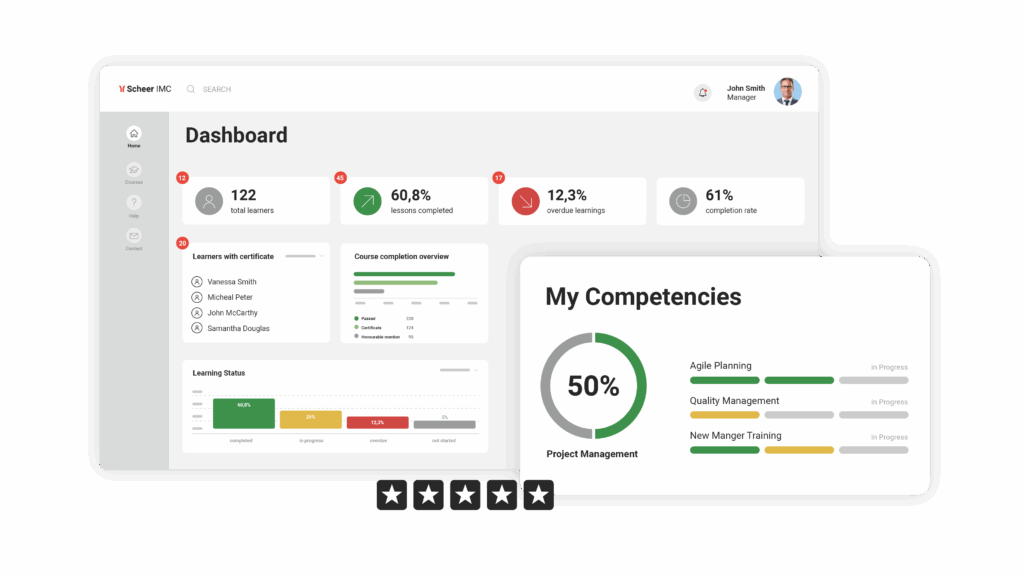
Innovation Pack 14.18 had a real focus on delivering improvements to existing functions by introducing many exciting enhancements. Highlights include updates to on-the-job training in courses to enable collaborative group work, better flexibility in accredited certification management and ongoing enhancements to the Learning Analytics module including an ability to create reports directly within the LMS.
Here's what's new in the Scheer IMC Product Portfolio

Encourage collaboration with group-based learning
The completion of On-the-job training tasks within a course had always been performed individually with each participant required to complete their own tasks. Now with IP18 course tutors or trainers are able to split participants into working groups to complete on-the-job activities training as a team.
Benefits
- Easy group creation and member assignments.
- Time-saving review and evaluation process.
- Create opportunities for social learning and collaborative working.
- Foster group engagement through communication.

Certification 'Grace periods’ provide improved flexibility
The Certifications module is used to track progress for accredited certifications where employees need to achieve a minimum amount of training points or hours in a set time period. Previously the time period has been rigid, but now with ‘grace periods’ it is possible to move certification points or hours achieved to an older period; this provides flexibility in cases where certification points or hours are awarded post when they were actually achieved. Additionally, there are updates for certification set reporting and audit logging.
Benefits
- Flexibility to ensure accurate awarding of points and hours.
- Improved reports provide better insights to certification sets.
- Ease of administration to adjust incorrectly awarded points/hours.

Further important updates
Each innovation pack contains many smaller innovations and here are some of the more important updates contained in 14.18:
- The Power BI Learning Analytics module continues to evolve with a new Effectiveness Check reporting dashboard showcasing valuable data on training impact. Furthermore, is the now the ability to create new reports directly from the LMS without heading to Power BI which not only saves on time, but also Power BI licences.
- Supervisors, Tutors and Administrators are now able to Preview the Courses with a view matching that of learners.
- Prerequisite status displays are now available to the learner, their supervisor and course tutors to identify where prerequisites are not yet met for enrolled participants.
- Multi-approval workflow updated with the ability for approvers to enter a priority rating for the approvals to better guide the decision of subsequent approvers in the process.
- Gamification update with Experience Tracks display a more user friendly to display of level details and profile pictures on leader boards.
- For customers wanting use own Outlook 365 for email there is a new Authentication method instead of the stand SMTP out.
- Course tile configuration now allows administrators to add custom meta tags and arrange meta tags on course tiles; this includes client specific configuration in a multi-client system.
- Target positions and classification fields provide administrators or supervisors the ability to designate a specific target job profile for a learning object and add a classification using meta tags. This is especially useful in the Easy Course Creator where classifications were previously not possible to add.