Innovation Pack 14.29:
The interface, rebuilt
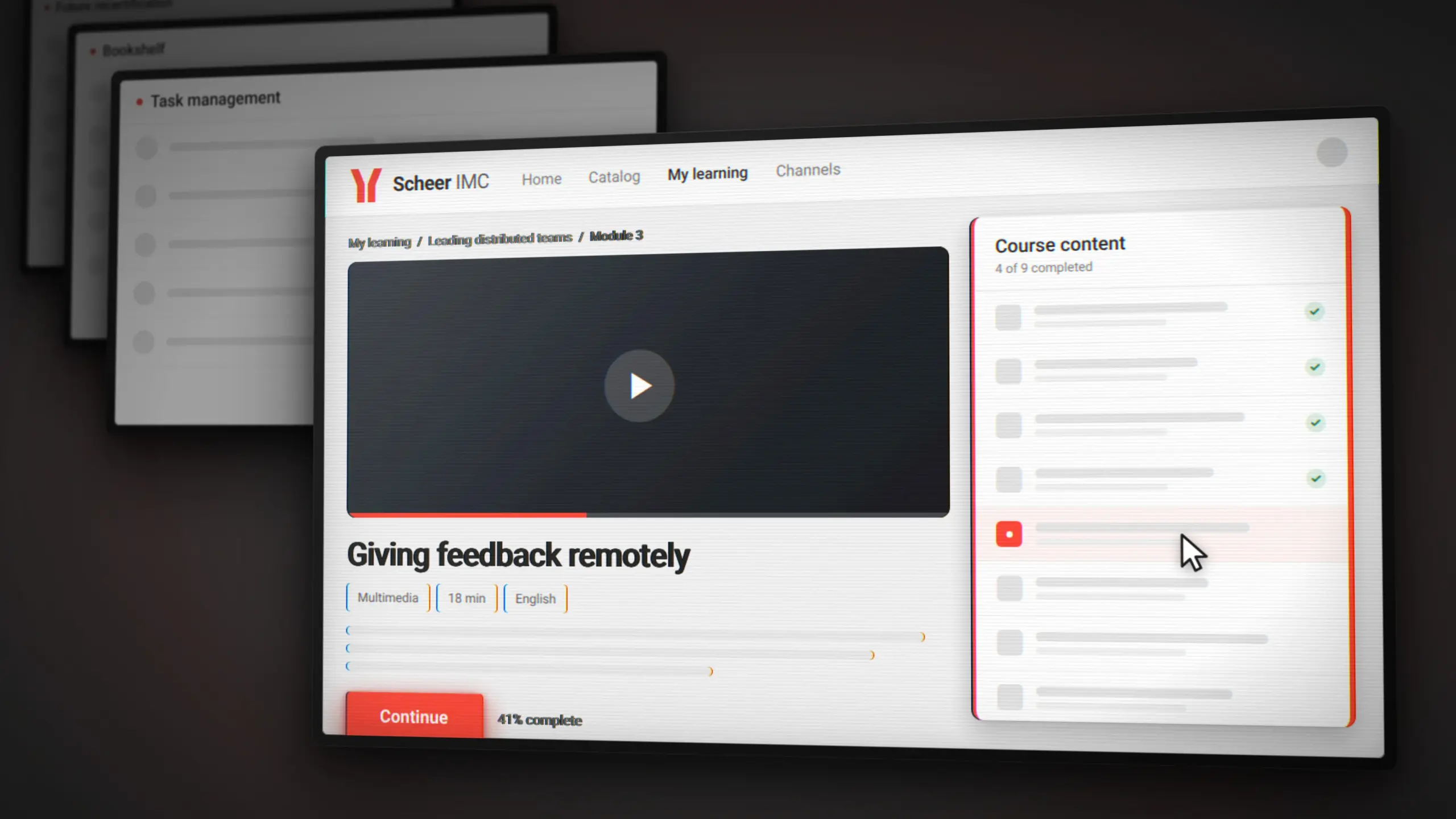
Every media page in the imc Learning Suite has been redesigned. So have the panels related to future recertification workflow, tasks, effectiveness check, job profile and booking requests. Twenty-nine improvements shipped in Innovation Pack 14.29, and the largest of them is a rebuild of the parts of the platform your learners actually touch.
Around that sit two other strands. Channel content gains a moderation layer with optional AI support that runs on your own infrastructure. And the APIs behind headless integrations expand considerably, which matters if external systems drive your learning processes rather than the interface does.
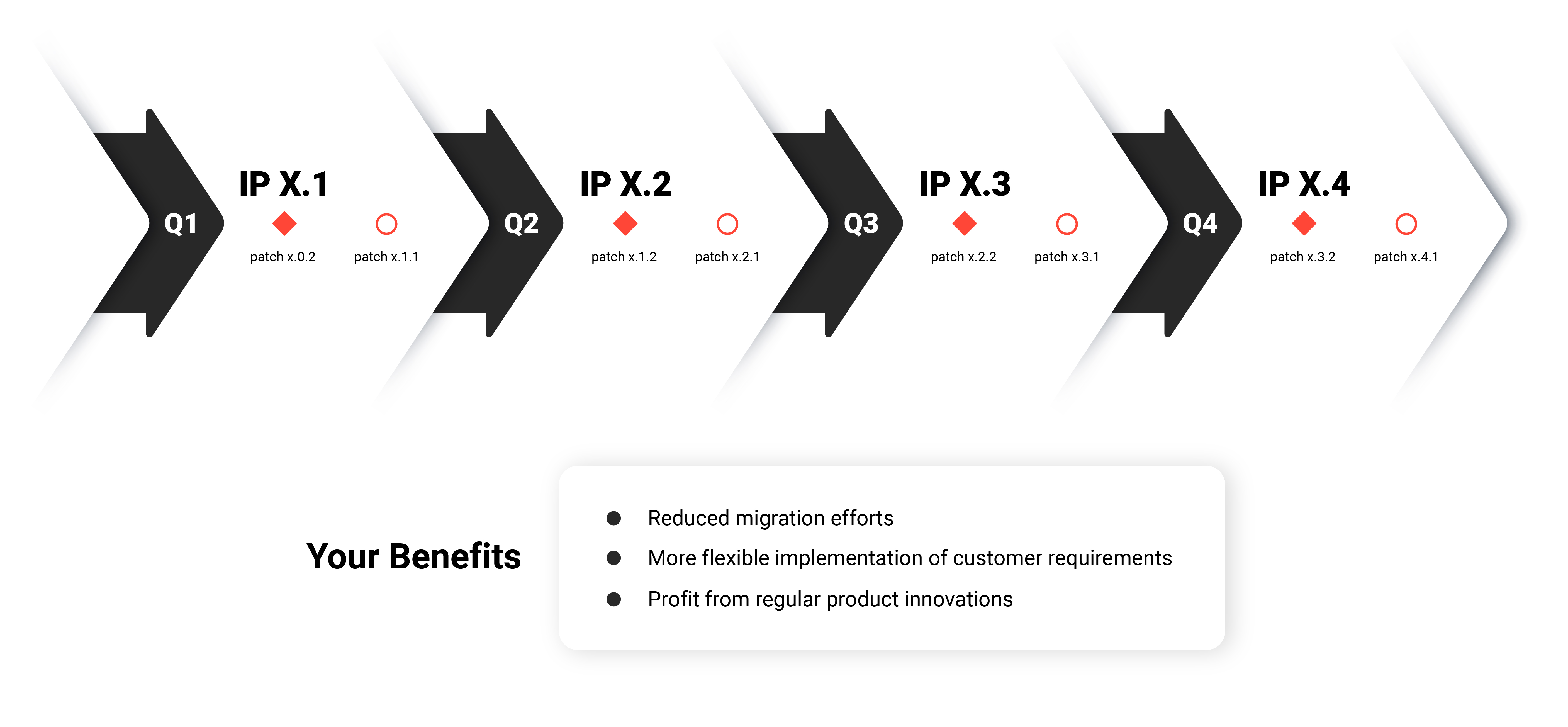
Here's what's new in the Scheer IMC Product Portfolio
The interface, rebuilt in React
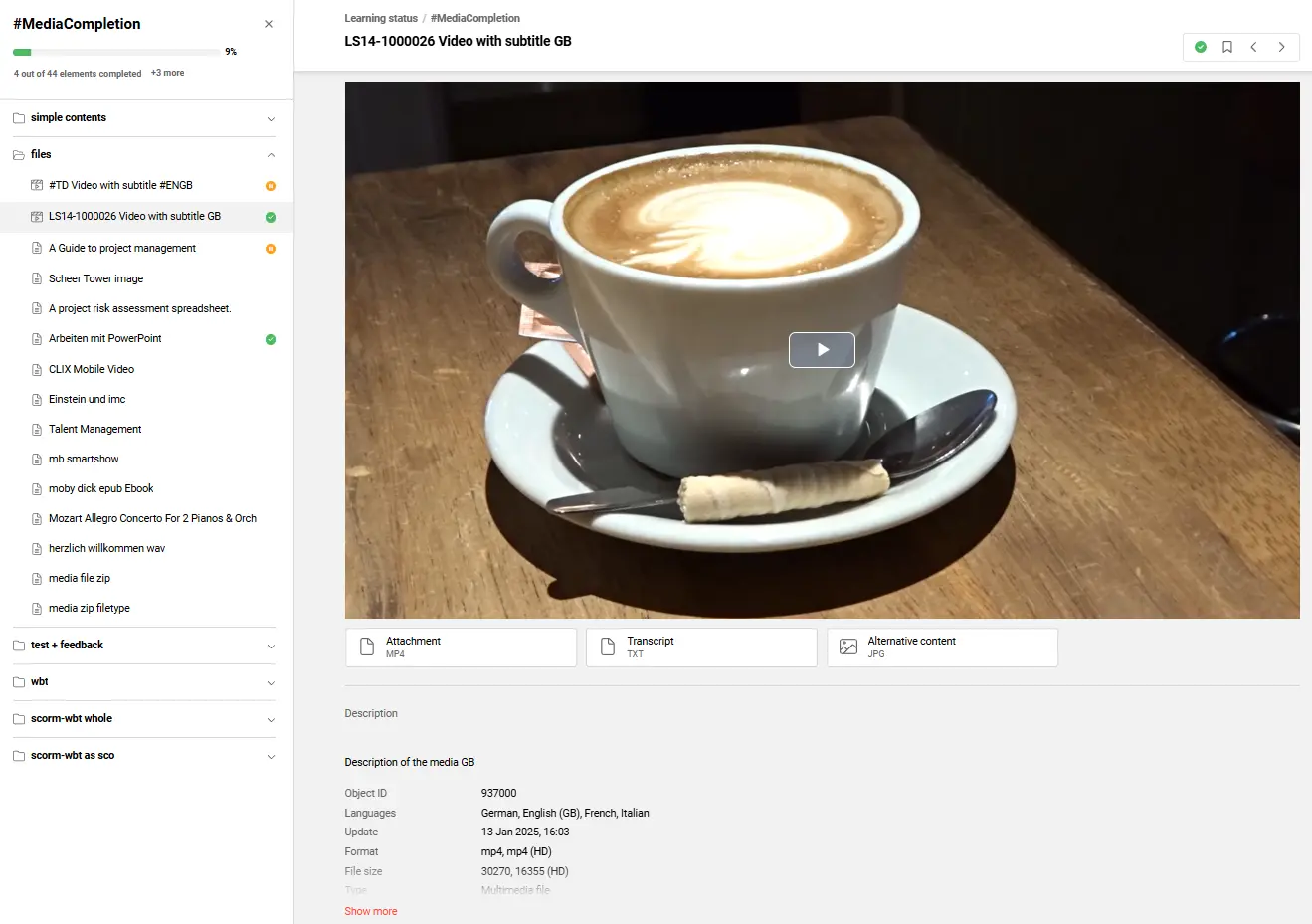
Media pages have been redesigned across roughly thirty content types, covering everything from multimedia files and SCORM packages to LTI tools, virtual classroom sessions, forums and on-the-job training. The changes apply wherever a learner reaches a media page, whether through a course, a catalogue or the bookshelf.
A new playlist component gives learners an overview of what a course contains, progress tracking is clearer, and navigation within a course is more direct. The implementation moves to React, which improves security alongside the visual change.
Nothing migrates automatically. The new media pages checkbox in the Design function is inactive by default, so you can enable the new experience on a test design first and switch your live design when you are ready. Existing media pages keep working either way.
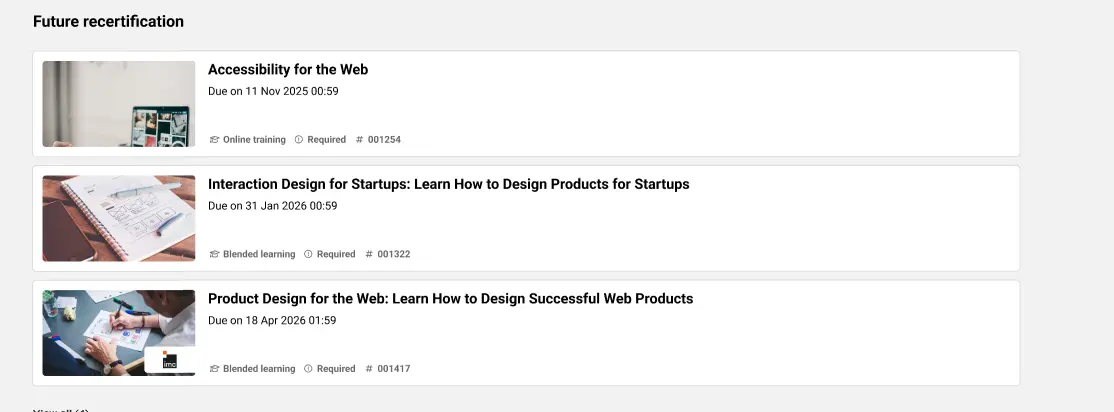
Four learner panels move to React in the same programme of work: Bookshelf, Effectiveness Check, Task Management and Future Recertification. The Job Profile Request panel follows for customers licensed for Skills and Competencies. Each gains improved design options and can sit on internal dashboards where the new dashboard and panel design is enabled.
Keyboard navigation improves throughout the React functions. Learners can move between tabs with the left and right arrow keys rather than tabbing through every option. Shift and Tab returns focus from the content area to the active tab. Active tabs are announced as selected, disabled tabs are announced as unavailable, and screen reader users reach them with the arrow keys. Tab switching and content navigation are now separate actions, which makes the whole interaction more predictable.
The Navigation and Learning Status functions now use React only. The Angular toggles were removed as pre-advised in 14.28, and any design still running Angular switches across automatically.
Trust in what learners see and post
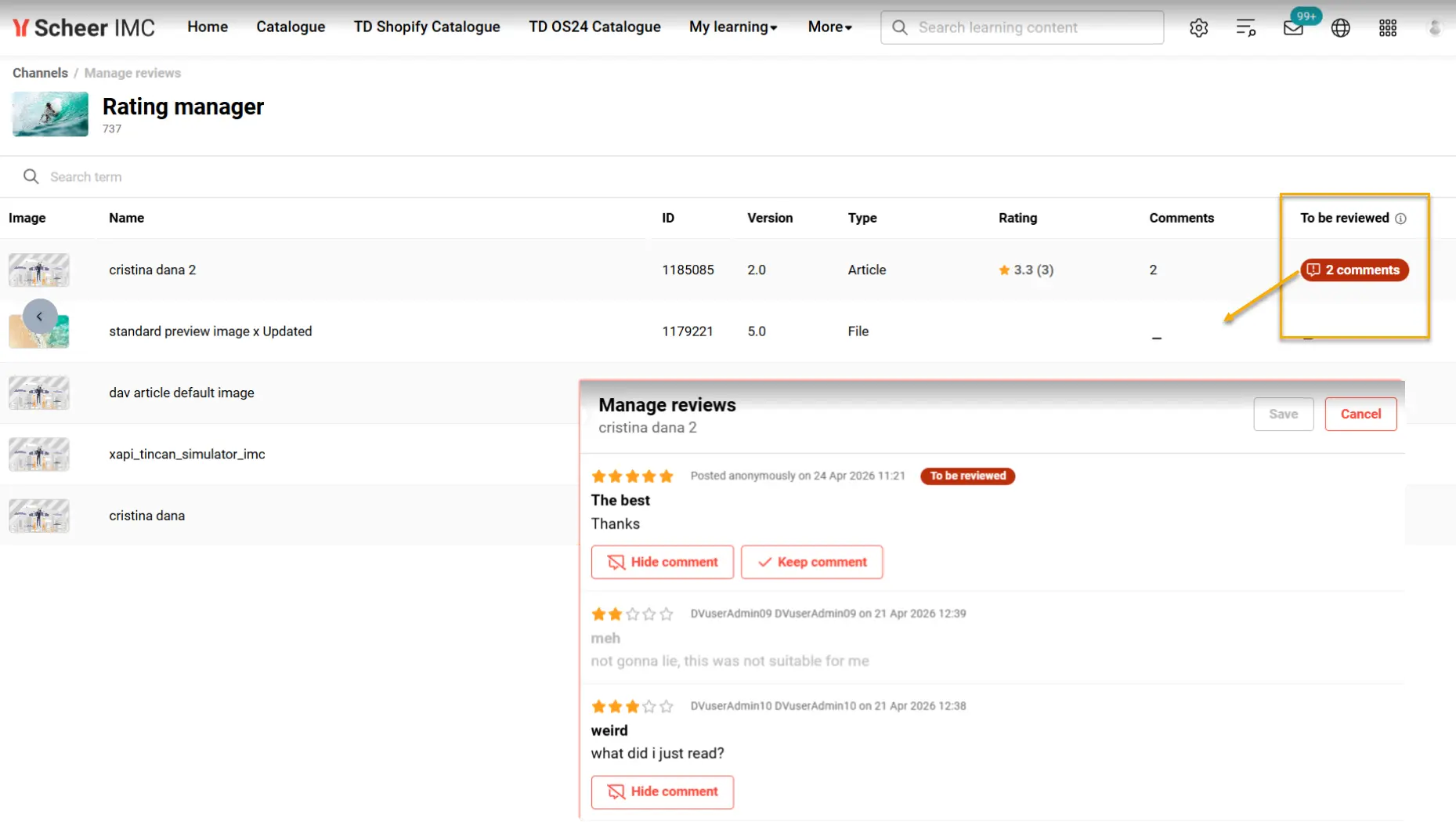
ReviewGuard brings moderation to channel comments. A new Manage reviews area in the Channel Manager shows a To be reviewed column for new comments, and a Hide comment button removes anything inadmissible from learner view. A notification can tell the comment's author that their review was removed.
The optional AI layer flags potential etiquette violations for a human to check. It runs on an Ollama instance deployed by Scheer IMC rather than a third-party API, and the prompt is a field you can adjust. For organisations that need to know where their content is processed, that distinction matters.
Global search handles multiple languages properly. Content appears in your preferred language, falling back to the content's own default when a translation is unavailable. Filters and tile metadata always follow your session language. And a details page opens in the same language the result was shown in, so clicking through no longer switches language underneath you.
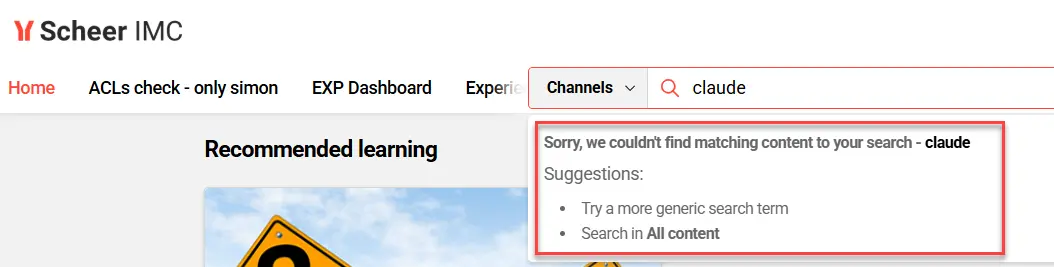
Where a result exists in several places, a Multiple sources toggle lists the alternatives in a dropdown while the first source title shows on the tile. Where a search returns nothing, the system suggests what to try instead, and the advice differs depending on whether the search was lexical or semantic. Recent searches now save only queries that led somewhere, and the history clears after ninety days in line with GDPR.
Completion records carry more detail. Administrators can switch on time zone display for completed courses, showing local and UTC times on course tiles, in the course room and in learning path syllabi. For customers licensed for Certification Management, the certification history and its PDF export now show the personal end date next to the training end date, with duration-of-use courses showing the personal date alone.
Cancellations leave a proper trail. A Cancelled by placeholder is available in every course notification, along with a field for a fixed recipient address so a central contact hears about every cancellation. Course Progress reports gain an optional Cancellation change notes column carrying the comment entered at the time. A new Cancelled courses (Administrator) report lists who cancelled, why, and how many participants were affected. Cancelled reservations no longer appear in Course Progress, which separates people who were actually enrolled from people who never were.
Channel content shows its age. Publication or last-update dates can be displayed on content cards across the feed, explore view, panels and media description pages, so learners can tell fresh material from old.
Built for headless integrations
If external systems drive your learning processes, this is the substantive part of the release.
The API surface expands significantly. New calls create the objects inside a learning path or learning path template on import, covering access rights, topics and classifications, course assignment, test-out objects, equivalencies, automatic enrolments, prerequisites, completion rules and recertification content. Further APIs handle learning path enrolments including certification properties and status. A new endpoint assigns and removes classifications on course templates, which removes a manual step from metadata synchronisation.
There are also health endpoints for the Search app, the Indexing service and the Subscription service, so an external monitor can check them directly. Everything is documented in Swagger.
Single sign-on gets more direct. The OpenID Connect integration now supports domain_hint, so a user following a deep link from an external system routes straight to the right identity provider instead of stopping at a provider selection screen.
Performance work sits underneath. Bulk enrolment has been reworked as batch processing with email notification decoupled from the enrolment itself and handled asynchronously, so registrations are not held up waiting on a mail server. Login is quicker after redundant requests were removed and background tasks made asynchronous. Where a read replica database exists, the global search data connector plugins route their read queries to it instead of the production database. Search indexing improved, with embeddings generated only when semantic search is enabled and object status refreshed every ten minutes without rerunning the context plugin job. And the Data Connector job list refreshes its status indicators every five seconds, keeping your filters and scroll position while it does.
Connectors and analytics. The Shopify configuration now supports the latest Admin API with OAuth authentication and automatic handling of the twenty-four hour token lifecycle, while existing shop configurations continue working unchanged. In Learning Analytics, a Running time in days meta tag joins the dataset, and the Table Object Model has been prepared so you can add your own tables, columns and relationships to the semantic model.
Also in this release
Seat occupancy is now visible directly in the Courses and Learning paths managers, with a column showing real-time capacity, per-group breakdowns in the details area, Excel export, and controlled overbooking that records who authorised it and by how much.
Supervisors gain a Job Profile Overview report scoped to their direct reports, and a Job profiles button opens a user's assigned profiles in a modal without leaving the user record. Booking request panels can be filtered by four clearance options covering fully manageable requests, supervised users, editable users and administered courses.
Learners and supervisors can cancel reserved bookings themselves once the setting is enabled, choosing a reason and adding a note. Supervisors who manage their own business unit group can now cancel themselves, and a separate setting handles supervisors defined as their own supervisor in their user profile.
Translation status can be set across many languages at once from the Languages tab. French (Belgian) and Chinese (Hong Kong) join the platform and content languages. Notification and enrolment messages can embed clickable preview images inline. Training calendars can prefilter by classification, configured centrally. And the audit log now records where a course was completed by test-out rather than by participation.
Innovation Pack 14.29 is available to all imc Learning Suite customers. More information can be found on our documentation page.